


MISTPLAY: Play to Earn Money
4.4176.32K Reviews
App Specs
- Version
- 6.29.1
- Updated On
- License
- Free
- Downloads
- 50,000,000+
- Developer
- MISTPLAY
- Categories
- Entertainment
- Platform
- Android
Screenshots
 Analysis by AppCompare
At home, a phone can be more than one person’s casual gaming device: a partner may borrow it, a child may ask to try a game, or someone else may pick up where the owner left off. That makes the key question with MISTPLAY less “Can I earn while I play?” and more “Whose play is being tracked, and whose account is earning the reward?” I’d treat it as a personal loyalty app rather than a shared household pot. A little coordination before anyone installs games or opens the app can prevent confusion later.
One phone, different players
MISTPLAY: Play to Earn Money is an entertainment app from MISTPLAY, and its basic appeal is easy to understand: it gives eligible mobile gaming time a rewards angle. I see it working best for the person who already plays on their own Android phone and wants to discover more games along the way. It is less naturally suited to a family passing one device around, because progress and rewards are tied to an account and play activity rather than to a shared household schedule.
Picture an ordinary evening: I have a few minutes while dinner is in the oven, so I open a game I found through the app. Later, a family member wants the phone to check something or play a different game. The practical move is to finish or pause my session, close out of the game cleanly, and make sure the next person knows not to use my account as if it were theirs. That small handoff matters more than it might with a game that simply saves local progress, because the reward app is also trying to recognize eligible activity.
Decide whose account is being used
Before setting up, I’d agree on one simple boundary: one person owns the MISTPLAY profile and handles its rewards. That avoids arguments about who earned units, who should redeem them, and which email or account should receive a reward. I would not assume that separate players can maintain separate reward histories conveniently on the same device; the safer household approach is for each person to use their own supported device and account if they want their own experience.
It is also worth separating “sharing a phone” from “sharing a game.” Someone else may be welcome to try a game, but that does not automatically mean their play should be counted toward the account holder’s rewards. If another person uses the device, I’d explain which app and game are connected, and ask them not to change account settings or redeem anything. These are ordinary boundaries, not a claim that the app offers family controls.
Make the routine reliable, not complicated
The app is most useful when it fits into play you would have done anyway. I would browse the available games when I have time to choose, pick one that genuinely sounds enjoyable, and then keep the session focused rather than installing several titles at once. This makes it easier to notice whether the game suits me and whether activity is being credited, instead of trying to remember which of many new games I opened first.
A practical habit is to check the app after a session rather than assume every minute has been recorded. If something looks off, I’d first reopen the relevant game through the normal app flow and confirm that the right account is active before continuing. Background restrictions or an interrupted session can make tracking less predictable, so I would avoid treating the reward total as a perfect stopwatch. The useful trade-off is that a little attention can help prevent missed credit, but it also means this is not entirely hands-off earning.
Worth Reading Before You Choose

Baby Panda World Brings Quick Play to Modern Phones, but Its Game Library Feels Busy

ESPN’s Live Game View Makes Following Close Games Easier

QuizzLand Review: A Good Fit for Short Trivia Breaks, Not Every Player

Basketball Stars: Multiplayer Is Fast, but Can It Recover When Matches Go Wrong?

WEBTOON Turns Phone Updates Into a Better Reading Routine

Link to Windows Runs on Shared Habits, Not Social Feeds
Who benefits most from the rewards angle?
I’d recommend it to casual Android players who enjoy trying different games and are content with rewards as a small extra. The strongest fit is someone who can be patient, likes having a reason to sample a new puzzle or strategy game, and would use gift cards for purchases they already make. If you mainly want one specific game and dislike switching, the discovery element may feel like a detour rather than a benefit.
It is also not a good fit for anyone expecting dependable income. Rewards are better thought of as a bonus for qualifying play, not payment that can replace work or reliably cover a bill. Someone who wants a guaranteed cash amount for a fixed block of time may prefer a straightforward paid task or a game they already enjoy without a reward layer. Here, the appeal is the combination of discovery and occasional value, with less certainty about how quickly a particular person will reach a redemption.
For a shared household, the same distinction helps. One adult who likes mobile games may enjoy the app as a personal hobby. A household trying to coordinate a common reward balance, however, may find the account boundaries awkward. I would not install it on a shared device without first agreeing who owns the profile and who is allowed to redeem the balance.
Teen use calls for a conversation
The app is rated for teens, so age context still matters at home. I would explain that the rewards are not free money without conditions: users need to play through the app’s supported flow, and the experience is centered on games and in-app rewards. A teen should understand which account is in use, what email is associated with it, and that they should ask before redeeming a reward or changing account details. This is sensible guidance for any rewards account, not a substitute for a parent’s own judgment about device use.
Trust also means being realistic about time. An app that rewards play can make “one more session” feel more tempting, especially when someone is close to a milestone. I’d agree on ordinary screen-time expectations first, rather than letting the possibility of a gift card decide when play ends. For younger teens in particular, the household conversation should focus on balance and account ownership, not just on how many units can be collected.
Where it sits beside other options
Compared with simply downloading free games from an app store, MISTPLAY adds a rewards layer and a way to discover games through a gaming profile. That can be a nice nudge when I want something new, but it also means I am choosing from its available selection rather than only from my personal wishlist. Compared with playing a single favorite game, the app asks for more attention to which titles are eligible and whether activity is being tracked.
It is also different from survey or task apps, where the main activity is answering questions or completing a defined task. Here, the central activity remains playing mobile games. That is a meaningful advantage if I already enjoy gaming, but a drawback if I would only play to chase rewards. I would choose the option that matches what I actually want to do, rather than assuming every rewards app offers the same kind of effort or return.
What to check before redeeming
When I’m deciding whether a reward is worth pursuing, I’d look at the options shown inside the app and think about whether I would genuinely use them. Gift cards are useful when they fit existing spending; they are less compelling if they push me toward a shop or service I would not otherwise choose. I’d also treat the displayed progress as a reason to check the redemption requirements in the app, not as a promise that every reward will be available in every situation.
One useful discipline is to avoid spending extra time on a game solely because a promotion makes it seem urgent. Promotions can make trying a new title more appealing, but I’d still ask whether I enjoy the game and whether its play fits my schedule. If I stop having fun, the small reward is not a good reason to keep going. That is the main trade-off: the app can make discovery more rewarding, but it can also turn leisure into something I monitor.
Now, let me introduce you to MISTPLAY: Play to Earn Money. It’s like the dream app for anyone who loves gaming and wouldn’t mind earning a few bucks on the side. Let me take you through my experience with this app.
What is MISTPLAY?
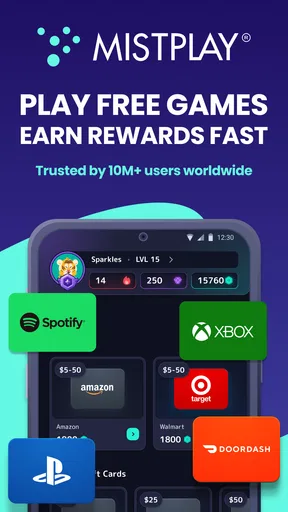
So, MISTPLAY is basically a loyalty program for gamers. You play games, you earn units, and then you can cash those units in for gift cards from places like Amazon, Google Play, and more. The app is available on Android, and it’s pretty straightforward to get started. I downloaded it, created an account, and was up and running in no time.
Getting Started
Once you’ve got the app, you’ll need to create a gaming profile. This is where you'll track your progress and manage your rewards. The app recommends games based on your preferences, so it’s not just a random selection. You can actually discover some pretty cool games you might not have stumbled upon otherwise.
Playing and Earning
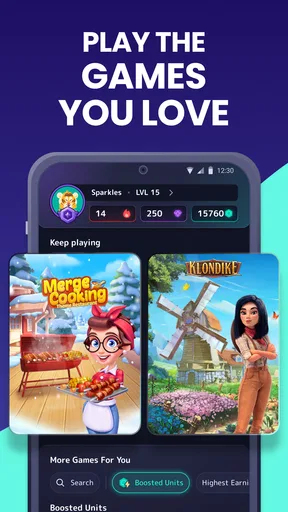
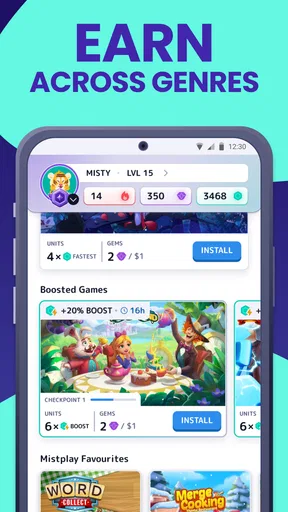
Now, let’s talk about the most fun part - playing games! MISTPLAY offers a variety of games across different genres. Whether you’re into strategy games, puzzles, or action-packed adventures, there’s something for everyone. As you play, you earn units. It’s like a reward for time spent gaming, which is particularly awesome if you're already spending hours glued to your screen. The more you play, the more you earn. Simple as that!
Here’s the deal: the app tracks your playtime and achievements within the games. It’s important to keep the app running in the background so it can log your activity and credit your account with units. Trust me, you don’t want to miss out on those units because you closed the app accidentally.
Redeeming Rewards
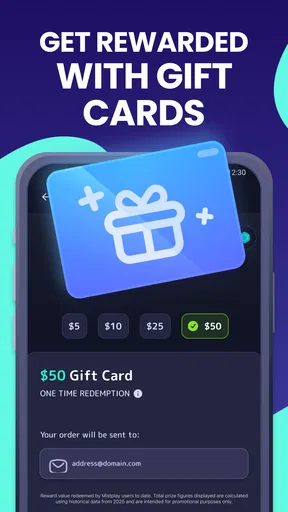
Now, onto the sweet rewards. You can redeem your units for gift cards from a variety of retailers. I opted for an Amazon gift card, and the process was seamless. There’s a rewards tab where you can see all your options, and once you’ve got enough units, you can cash them in. The gift card codes are delivered directly to your email, so there’s no waiting around.
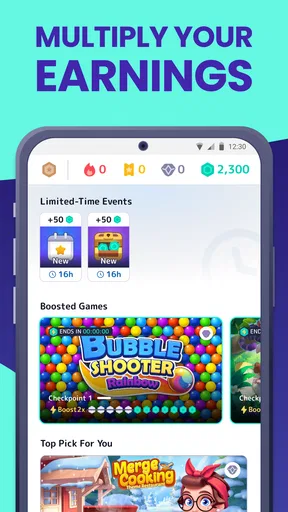
Here’s a little tip: keep an eye on the in-app promotions. Sometimes, they offer bonus units for trying out new games or reaching certain milestones. It’s a nice way to boost your earnings without any extra effort.
Community and Social Features
What I found pretty cool is the social aspect of MISTPLAY. There’s a community feature where you can connect with other gamers, share tips, and even join teams. It’s like a mini social network for gamers. If you're competitive, you’ll love climbing the leaderboards and earning bragging rights among your peers.
Final Thoughts
So, what’s the verdict? Honestly, if you love gaming and wouldn’t mind getting a little something back for your time, MISTPLAY is definitely worth a try. It’s easy to use, offers a good variety of games, and the rewards are legit. Sure, you’re not going to get rich, but hey, a few extra bucks never hurt anyone, right?
Just remember, it’s available on Android for now, so iOS users might have to wait a bit. But if you’ve got an Android device, dive in and start earning while you play. Happy gaming, everyone!
My household verdict
MISTPLAY is free, and its current version is 6.19.0, with Android 7.0 as the minimum operating system requirement. It has a 4.5 average rating from around 1 million ratings, and more than 50 million installs. Those figures suggest a widely used app, but they do not change the personal nature of the experience: I would still start with one account, one device owner, and a game I actually want to play.
For me, the best approach is to keep expectations modest, check that eligible play is registering, and treat any redeemed gift card as a pleasant extra. MISTPLAY has been available since July 2, 2016, and its teen rating makes a quick household conversation worthwhile when younger players are involved. It is a reasonable pick for an adult or teen with permission who enjoys mobile games and values discovery; it is not the right choice for shared-account bookkeeping, guaranteed earnings, or someone who would rather spend every gaming session in one favorite title.
Pros
- Earn rewards by playing games.
- Wide variety of games available.
- User-friendly interface.
- Frequent updates and new games.
- No purchase necessary to earn.
Cons
- Limited to specific regions.
- Rewards can take time to accumulate.
- Some games may have ads.
- Requires internet connection.
- Points expire if inactive.
FAQs for MISTPLAY: Play to Earn Money
What is MISTPLAY and how does it work?
MISTPLAY is a loyalty program app for gamers on Android. It allows users to earn rewards by playing games. Once you download the app, you can browse a selection of games. By playing these games, you accumulate units that can be exchanged for gift cards or other rewards.
Is MISTPLAY available for iOS devices?
Currently, MISTPLAY is only available for Android devices. iOS users do not have access to the app or its features at this time. The developers have not announced any plans to release an iOS version, but it’s best to check their website or social media for updates.
Are there any costs or hidden fees with MISTPLAY?
MISTPLAY is free to download and use. There are no hidden fees or costs associated with earning rewards. However, users should ensure they have a stable internet connection, as data charges may apply depending on your mobile plan.
What types of rewards can I earn with MISTPLAY?
MISTPLAY offers a variety of rewards, primarily in the form of gift cards. Popular options include gift cards for Amazon, Google Play, and prepaid Visa cards. The availability of specific rewards can vary, so it’s a good idea to check the app frequently for the latest offerings.
Is MISTPLAY safe to use?
Yes, MISTPLAY is safe to use. It does not require any personal payment information and uses secure encryption to protect user data. However, as with any app, make sure to download it from a reputable source, such as the Google Play Store, to avoid counterfeit versions.


